 Car Connect
 For iPhone · CarPlay widgets on iOS 26
Your car's dashboard, reimagined.
Car Connect: Play Auto Sync turns your iPhone into a clean driving panel and fills your Home Screen and CarPlay dashboard with widgets — plus radio, speed, sounds and trips.
Works with the CarPlay already built into your car. It can't add CarPlay to a car that doesn't have it — the free compatibility check tells you first.
Everything for the drive, in one app
Designed for quick glances, big touch targets and a dark cabin at night.
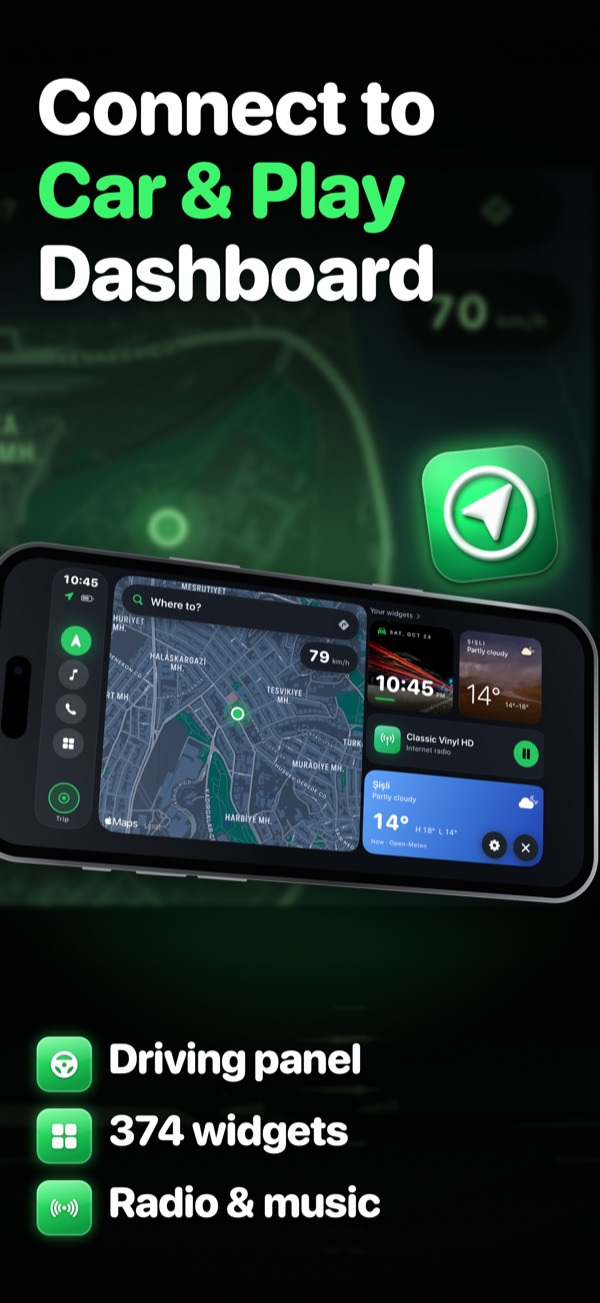
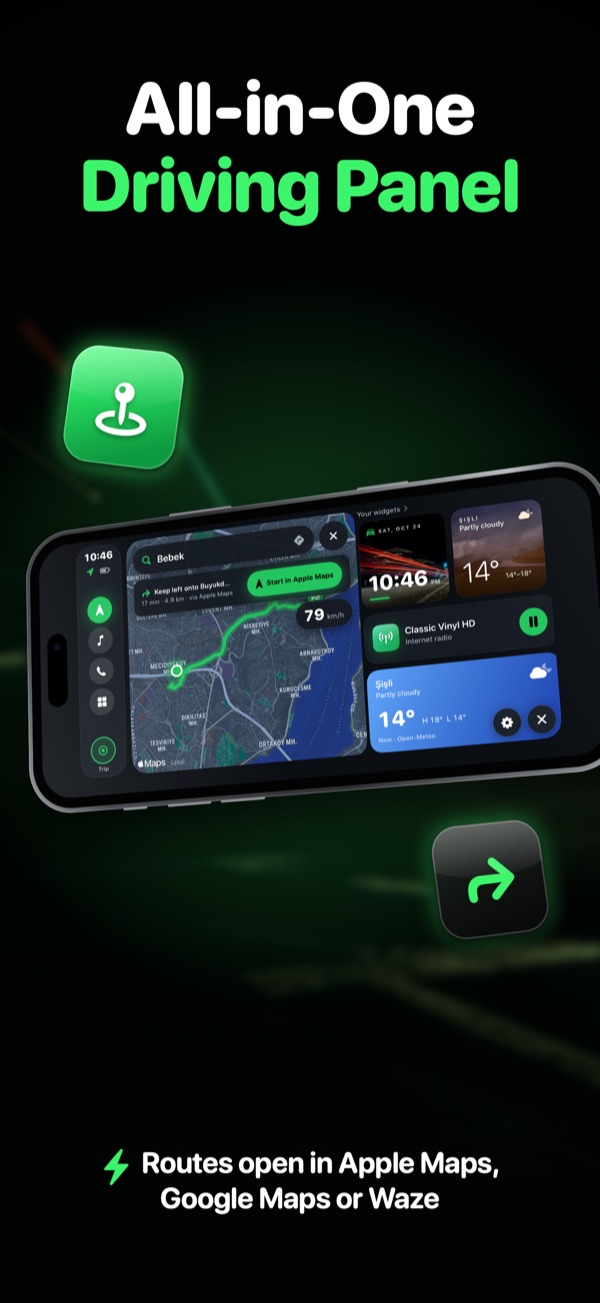
A driving panel built for the car
Turn your iPhone sideways and get a calm, landscape dashboard: map, speed, music, calls and your favourite widgets — all one tap away.
- Search a destination and hand off to Apple Maps, Google Maps or Waze
- Live speed, clock, weather and now-playing at a glance
- Big buttons for calls to your chosen favourites
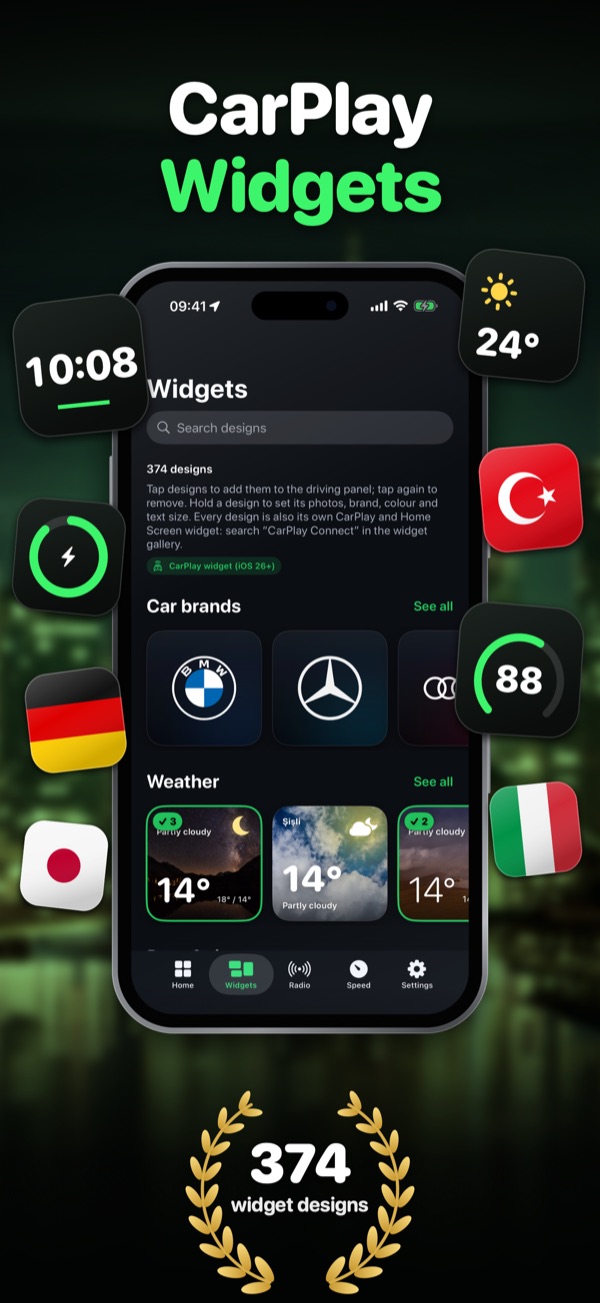
374 widgets for your Home Screen and CarPlay
Clocks, weather, speed, radio, photos and more — in designs that look great on the iPhone Home Screen and, on iOS 26 or later, on your CarPlay dashboard.
- Add your own photos, stickers and animated GIFs
- Pick your car brand for a personal touch
- Search and favourite designs in seconds
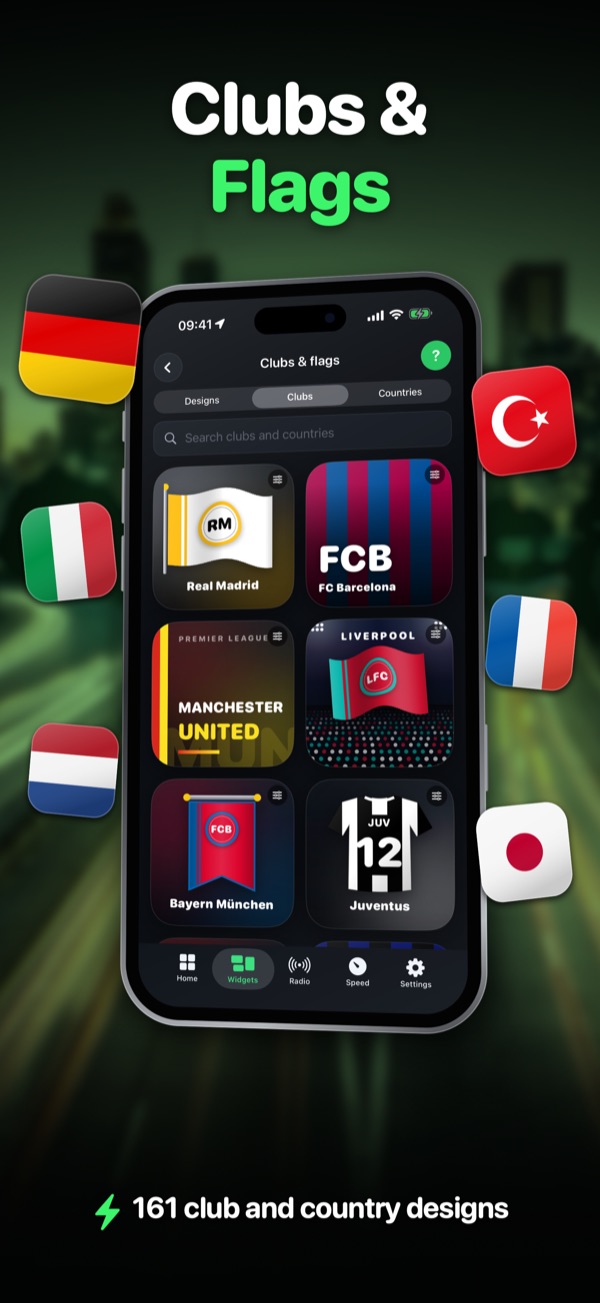
Clubs & flags
Show your colours on the road with 161 club and country designs. Search by name and put your team or country on the Home Screen and the CarPlay dashboard.
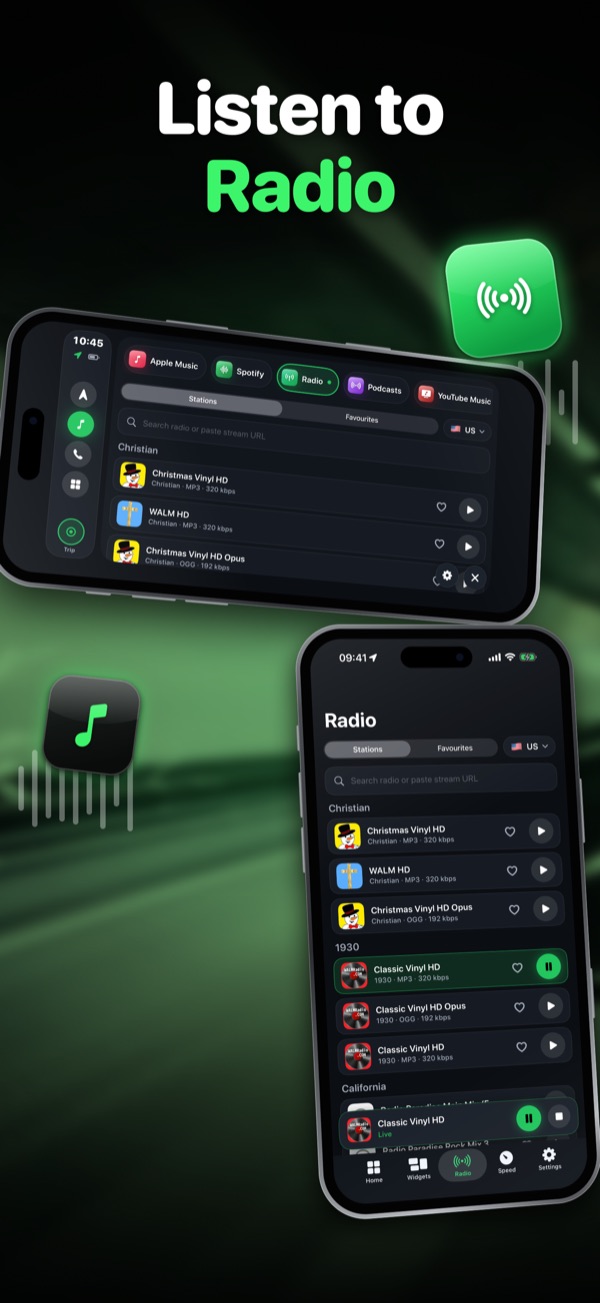
Internet radio, wherever you drive
Stream thousands of stations from around the world, keep your favourites close and control playback right from the driving panel or a widget.
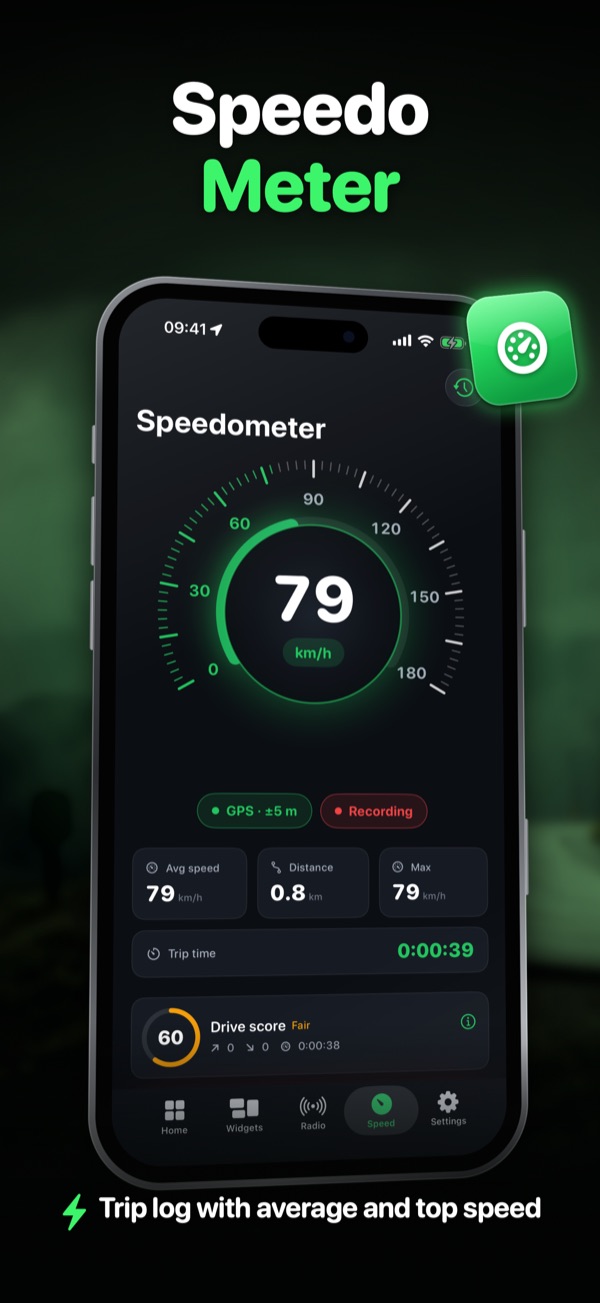
Speedometer, drive score & trips
A clear GPS speedometer, a drive score that rewards smooth driving, and a trip log with distance, average and top speed — with routes you can look back on.
- Trip and route history, optionally backed up to your private cloud space
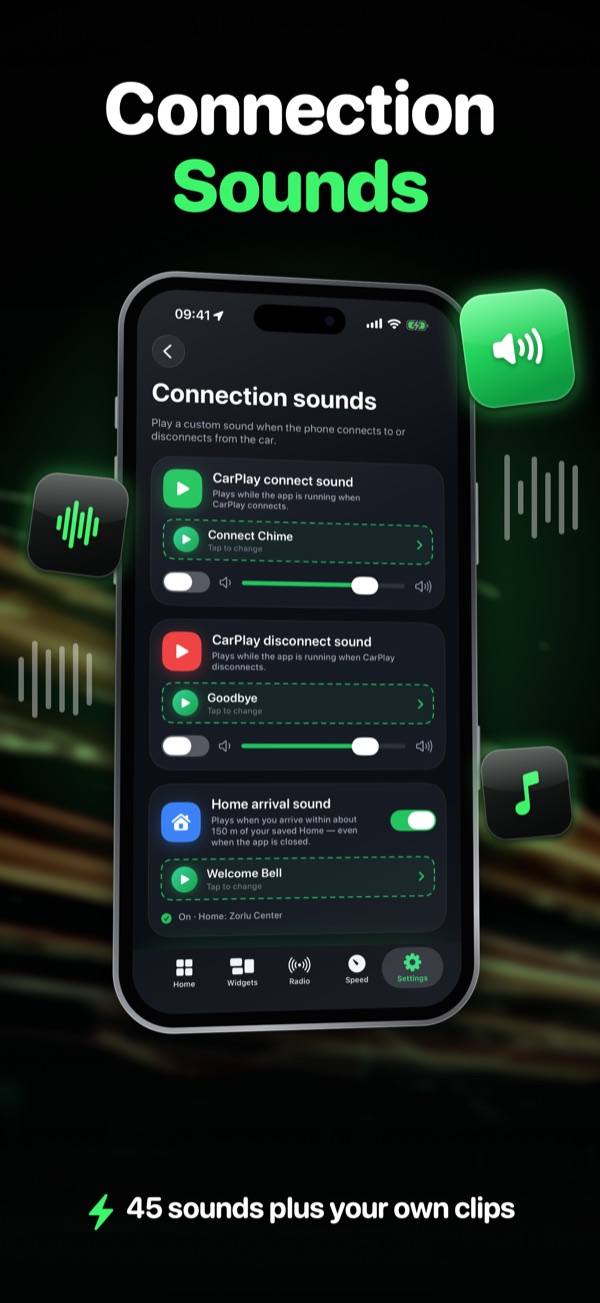
- Home arrival sound when you pull up
Connection sounds
45 sounds plus your own clips, with search, tabs and favourites — set the mood for every drive.
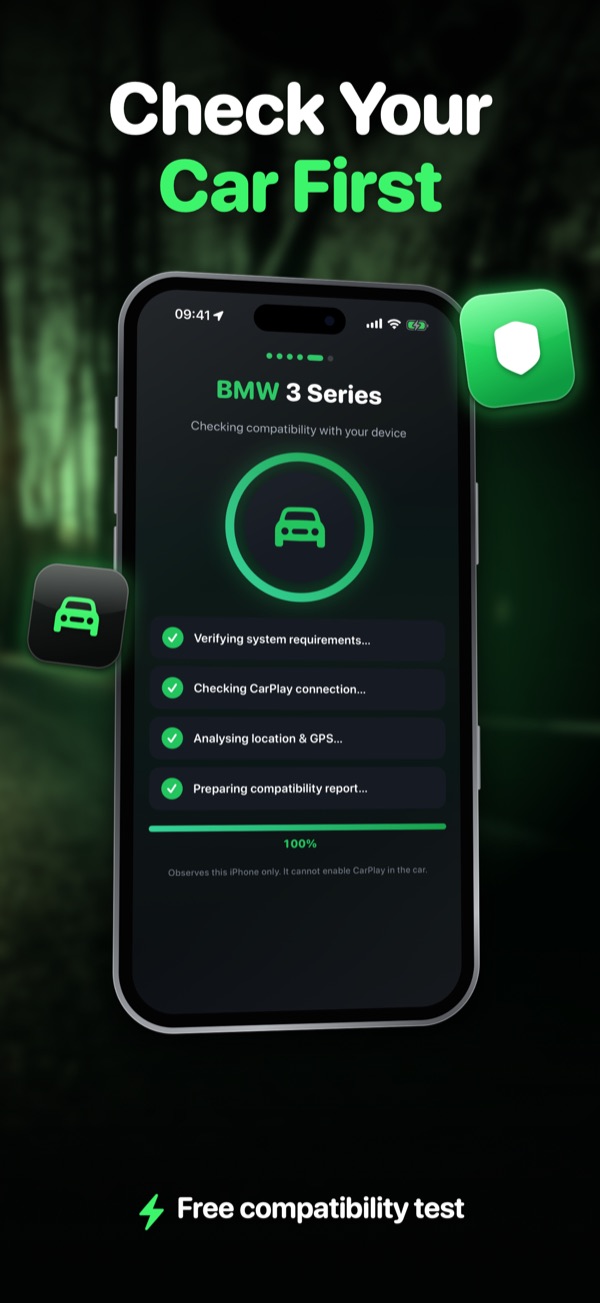
Check your car first — for free
Enter your car's make and model year and see what to expect before you subscribe, including whether CarPlay dashboard widgets are supported.
Good to know. Car Connect works with the CarPlay that is already in your car. It cannot add CarPlay to a car without it, does not mirror your iPhone to the car display and does not change sounds that iOS plays. Widgets on the CarPlay dashboard require iOS 26 or later.
Questions & answers
CarPlay does not connect. What can I do?
The CarPlay connection itself is between iOS and your car's head unit — the app can't create or block it. Use Settings › Support › Connection diagnostics in the app, try another cable (or toggle wireless CarPlay), and check Settings › General › CarPlay on your iPhone.
Why don't the widgets show in my car?
Widgets on the CarPlay dashboard require iOS 26 or later and a car that supports them. Add them on your iPhone in Settings › General › CarPlay › your car › Widgets.
Will this add CarPlay to my car?
No. The app works with the CarPlay already built into your car. Run the free compatibility check in the app to see what your car supports.
How do I cancel my subscription or get a refund?
Cancel in Settings › Apple ID › Subscriptions on your iPhone. Refunds are handled by Apple at reportaproblem.apple.com.
Does deleting the app cancel my subscription?
No. Deleting the app does not cancel a subscription. Please cancel it in your Apple ID subscription settings.
Do I need an account?
No. There's no sign-up, and the app never asks for your name or e-mail. See the Privacy Policy for details.
Need help? We're here.
Questions, bugs or ideas — write to us and we'll get back to you. Please include your iPhone model, iOS version and car make/model.